One-third of workplace absences happen because of injuries from poor office ergonomics.
Office work hurts your body more than many physical jobs, which might surprise you. The Washington State Office Ergonomic Research shows Work-related Musculoskeletal Disorders (WMSDs) make up over 40% of workers' compensation claims from office workers. These claims cost employers millions and lead to more than 70,000 missed workdays every year.
Good office desk setup does more than just prevent pain - it makes people work better. A 2020 National Institutes of Health survey revealed that 72% of companies saw better productivity after getting ergonomic office equipment. Research also shows that ergonomic chairs help reduce lower back pain. One company saw 47% fewer musculoskeletal disorder cases after they started using chairs that met proper standards.
You don't need to feel uncomfortable just because you work at a desk. This piece will show you why office ergonomics matters and give you practical ways to build a workspace that keeps you comfortable and productive.
Understanding the Role of Ergonomics in the Office Workplace
Ergonomics means much more than just comfortable furniture—it's a key building block of workplace design that affects health, safety, and how well people work. Let's take a closer look at the many ways ergonomics shapes modern office environments.
What is ergonomics in the office environment?
Ergonomics comes from two Greek words: "ergo" meaning work and "nomos" meaning laws. The science of ergonomics focuses on designing workplaces around workers' abilities and limits. Office settings use this science to fit jobs to people—not force people to adapt to poorly designed workspaces.
The Occupational Safety and Health Administration (OSHA) describes ergonomics as "fitting a job to a person." This approach helps cut down muscle fatigue and reduces work-related musculoskeletal disorders (MSDs) in both number and severity. Office ergonomics wants to create workspaces that match each employee's needs and their daily tasks.
These four areas make up office ergonomics:
Workstation setup (seating position and duration)
Task functions (movement patterns and repetition)
Work environment (lighting, noise, temperature)
Tools used (proper equipment selection and adjustment)
How office desk ergonomics affect daily work
Bad ergonomic practices can lead to serious health issues. Work-related musculoskeletal disorders cause 34% of all lost workdays from job injuries or illnesses. These problems can affect muscles, nerves, blood vessels, ligaments, and tendons, and might cause major discomfort and lasting health issues.
Good ergonomic workspaces directly boost physical health. Studies show proper ergonomic changes can cut muscle fatigue risk by up to 60%. Research also proves that adjusting ergonomic chairs reduces musculoskeletal pain's severity, intensity, and frequency.
Office desk ergonomics also affects work's mental aspects. Physical discomfort naturally pulls employees' attention away from tasks to their bodies. A proper ergonomic setup helps workers stay focused all day without pain or strain distractions.
The link between comfort and productivity
Ergonomic comfort and workplace productivity go hand in hand. Research shows proper ergonomics can boost productivity by up to 25%. This happens in several ways—less discomfort helps people concentrate longer, while properly positioned equipment cuts down wasted movement and physical strain.
Workstations that fit users' body sizes and job needs help employees keep neutral postures. These positions put less stress on muscles and joints. Natural body positions throughout the day prevent the usual fatigue that builds up over time.
Companies with detailed ergonomic programs see real benefits:
Less time off work due to fewer injuries
Lower healthcare costs from fewer MSDs
Better employee satisfaction and retention
Smoother workflow with fewer comfort-related interruptions
Comfort directly affects business results. Employees in ergonomically sound spaces show more involvement with their work and perform better. This increased involvement comes from physical comfort and knowing their company cares about their wellbeing—creating a positive cycle that improves workplace culture.
Setting up ergonomic principles is both a health investment and business strategy. Organizations that understand how physical comfort connects to mental performance create spaces where employees work efficiently without risking their health.
Health and Safety Benefits of Ergonomic Design
Good office ergonomics brings major health and safety benefits that go way beyond simple comfort. These improvements show up in both physical health and how well people think and work.
Reducing risk of injury and strain
Work-related musculoskeletal disorders (MSDs) pose a big workplace challenge. They account for 34% of all workdays lost due to job injuries and illnesses. In fact, MSDs make up 29% (325,270) of all cases where workers need time off. Workers with MSDs stay home for about 14 days, while other work injuries only need 9 days of recovery.
The right ergonomic setup helps fix these problems. Research shows that proper office ergonomics cuts down on:
How often people feel muscle pain and how bad it gets
Time off work because of physical discomfort
Money spent dealing with musculoskeletal problems
Research on chair adjustments shows quick improvements in muscle pain, especially in people's necks, shoulders, upper backs, and wrists. These positive changes happen because ergonomic workspaces let the body stay in natural positions that don't strain muscles and joints.
Improving mental focus and energy
Body discomfort steals attention away from work tasks. This mental drain builds up all day, which makes it harder to concentrate and leads to more mistakes.
Cognitive ergonomics looks at how people understand and use information. This vital part of ergonomic design helps with perception, memory, attention, and decision-making. A workspace that matches natural thinking patterns helps employees:
Feel less mentally tired
Stay focused on complex work
Make better decisions
Make fewer mistakes
Bad ergonomics not only causes physical pain but also creates stress and anxiety while cutting down productivity. A well-laid-out ergonomic workspace helps people switch between tasks more easily, which improves focus and mental clarity.
Supporting long-term employee well-being
The benefits of good ergonomic design last much longer than just today's comfort. The right ergonomic solutions can boost productivity by up to 25%. They also cut down muscle tiredness by up to 60%.
Companies see real benefits from these improvements:
Fewer workplace injuries and lower healthcare costs
Less time off work and fewer disability claims
More satisfied employees who stay longer
Companies that put in budget-friendly ergonomic plans see great returns on their investment. The payoff includes lower workers' comp costs and better productivity, quality, and profits. Employees who feel better physically do better work and show more interest in their jobs.
Whatever the company size, money spent on ergonomics helps both employee health and business success in the long run.
Choosing the Right Ergonomics Office Equipment
The right ergonomic equipment creates a foundation for workplace comfort and efficiency. Quality tools prevent injury and help you perform better throughout your workday.
Best type of office chair for support
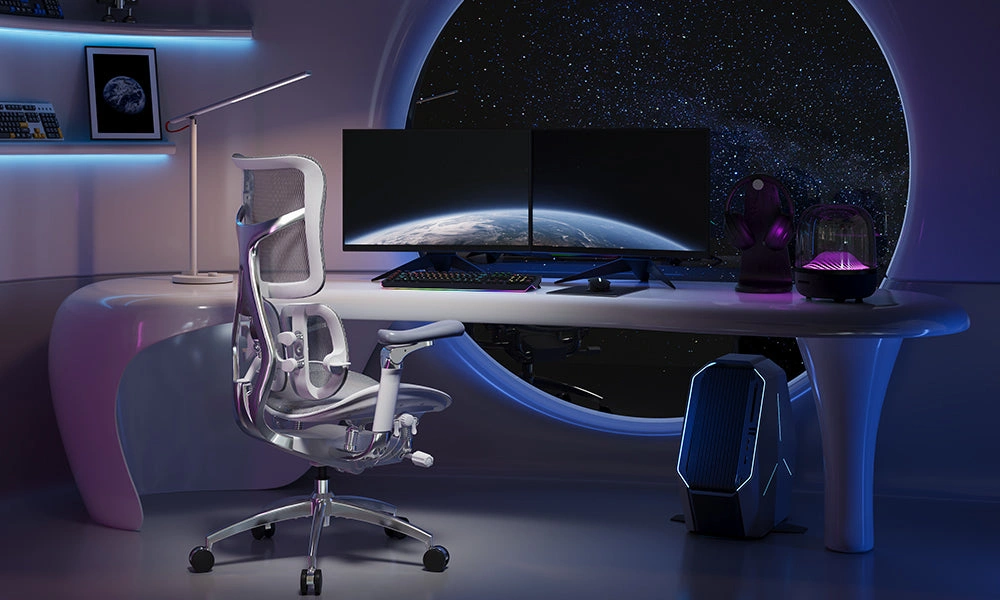
A well-designed chair is the life-blood of any ergonomic workspace. The ideal ergonomic chair adapts to your body type and working style with multiple adjustable features. You should look for chairs that let you adjust the seat height. This allows your feet to rest flat on the floor while keeping your thighs parallel to the ground.
Lumbar support is a vital chair feature. It supports your spine's natural "S" curve. Your lower back faces increased pressure without proper support, which can lead to discomfort and long-term problems.
Quality ergonomic chairs typically include:
Armrests that adjust to keep your arms parallel to the floor
Mesh or other breathable materials to keep you cool
Tilt mechanisms that move naturally with your body
Research shows these chair features can reduce lower back pain by up to 25%. Your chair should help you maintain good posture by keeping your back against the backrest instead of leaning forward.
Ergonomic desks and sit-stand options
Standard desk height of 28-30 inches works well if you're around 5'10" or taller, but many people find this height challenging. Height-adjustable standing desks provide a better solution by letting you customize both sitting and standing positions.
Sit-stand desks let you switch positions and vary your posture throughout the day. These desks adjust from about 27 inches for sitting to 43.5 inches for standing. This range helps you maintain proper arm positioning in both positions.
Your body should maintain a neutral position whether sitting or standing:
Keep hands, wrists, and forearms parallel to the floor
Balance your head in line with your torso
Position elbows close to your body at roughly 90-degree angles
You should alternate between sitting and standing regularly. Start by standing 5-10 minutes each hour and gradually increase as your body adapts.
Accessories that boost comfort
Additional accessories create detailed ergonomic workspaces beyond chairs and desks. Monitor arms position screens at eye level and prevent neck strain while freeing up desk space.
Keyboard trays put typing surfaces at the right height. This lets your arms rest naturally without stretching. Vertical mice keep your hand in a natural "handshake" position and reduce wrist pressure during long use.
Helpful accessories also include:
Footrests that support your legs when your chair height changes
Anti-fatigue mats to make standing more comfortable
Wrist rests that keep your hands in a neutral position while typing
Small changes can make a big difference if you can't replace your entire setup. Adding a lumbar support pillow can make simple chairs more comfortable for several hours of work.
Office Ergonomics Guidelines for Setup and Use
The life-blood of employee health and productivity lies in well-configured workstations. Each organization needs a different setup. Good ergonomic guidelines help create both personal comfort and better organizational workflow.
Proper office ergonomics for different roles
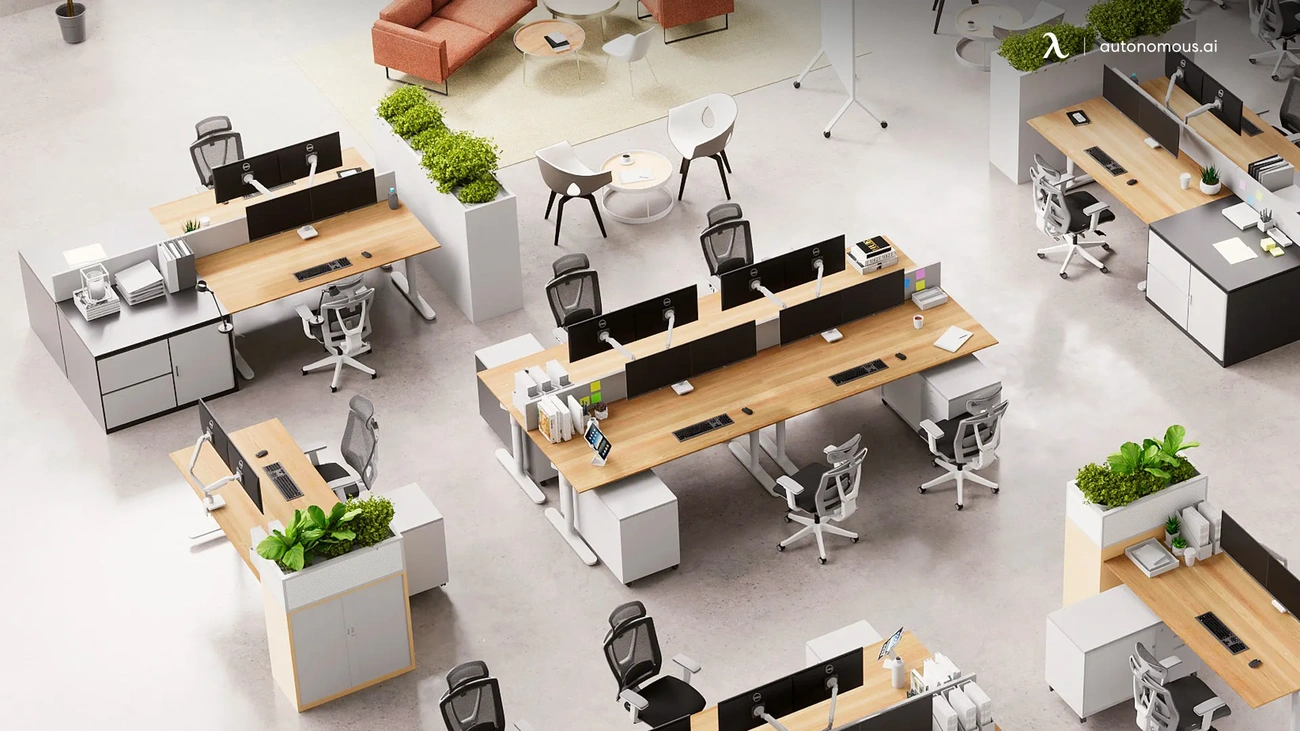
Daily tasks shape the ergonomic needs of different office positions. Executives spend long hours at their desks making decisions. They need quality adjustable chairs with good lumbar support and height-adjustable desks that work for both sitting and standing. Finance and accounting teams work best with multi-monitor setups at eye level. Their keyboards should keep wrists neutral.
Customer service teams need chairs that support their entire back. Light, adjustable headsets help prevent neck strain during long phone calls. IT professionals often use multiple screens. Their main monitor should sit right in front of them. Secondary displays need positioning that minimizes head movement.
Adjusting for individual needs
A good workstation starts with the right chair setup. The seat's highest point should sit just below your kneecap when you stand in front of it. When seated, you should have space for a clenched fist (about 5 cm) between the seat's front edge and your calves. Your lower back should fit snugly against the backrest. Armrests should barely touch your elbows when they're bent at 90 degrees.
Without doubt, screen placement affects neck comfort. Screens work best at arm's length with their top at or just below eye level. Laptop users should get external monitors or laptop stands with separate keyboards. This prevents choosing between neck strain or wrist pain. Keep items you use often within easy reach to avoid twisting and stretching.
Office ergonomic guidelines for shared spaces
Shared workspaces create special challenges that need smart planning. Each desk should have standard equipment that's easy to adjust, whatever employee uses it. Different people need different chairs, so having various adjustable options is crucial.
Letting staff move their assigned chairs between workstations helps prevent ergonomic injuries. Shared monitors should adjust easily so each user can place them at eye level. Height-adjustable desks let everyone customize their workspace.
Staff education plays a vital role since many workers don't know how to adjust their workstations properly. Research from 2012 showed strong links between work-related muscle problems and poor ergonomic setups. The risk increases in shared spaces where people rarely adjust their equipment.
Future-Proofing Your Workspace with Ergonomics Solutions
Modern work environments keep changing. Ergonomic strategies have become vital to health and productivity beyond regular office settings. The digital world needs new approaches that adapt to changing needs.
Ergonomics for hybrid and remote work
Remote work brings different ergonomic challenges than traditional offices. Home workspaces often involve makeshift setups that can harm posture and cause injuries. A designated work area with a standard table improves body positioning compared to beds or couches.
Hybrid work needs consistency between different locations. Companies now give stipends to their employees for home office equipment. Some organizations offer remote workers a one-time payment of $750 for simple equipment. Here are some practical solutions:
Raise laptop screens just below eye level and connect external keyboards and mice
Take one-to-two minute breaks every 20-30 minutes to stretch
Use the 20-20-20 rule—look 20 feet away for 20 seconds every 20 minutes
Breakthroughs in ergonomic office design
Ergonomic solutions are advancing faster with technologies that improve comfort and efficiency. Smart furniture will use AI and sensor technology to track posture and environmental factors in real-time by 2025. New designs include chairs that fix poor posture automatically and desks that move throughout the day to keep you active.
VR and AR reshape the scene of ergonomic training. These technologies offer immersive experiences that teach proper posture through realistic simulations. Wearable ergonomic devices help maintain proper positioning even in less-than-ideal setups.
Training and employee awareness
Good equipment alone isn't enough. Proper training remains essential for ergonomic success. Effective training helps managers and workers spot risk factors, identify symptoms of musculoskeletal disorders, and create preventative strategies.
Training programs should match specific audiences based on education level, literacy, and job interests. Workers learn principles of proper equipment use, good work practices, and early symptom recognition when training works.
Many resources exist for ergonomic education. These range from OSHA's Training Institute courses to online materials in multiple languages. Organizations can build detailed awareness programs that support their employee's long-term well-being.
Conclusion
Office ergonomics is the life-blood of workplace health and productivity improvement. Our research shows how ergonomic principles can affect physical health, mental focus, and work performance. The numbers tell a compelling story - ergonomic measures can cut muscle fatigue by up to 60% and boost productivity by 25%.
A well-laid-out workspace needs the right equipment choices. The foundations of workplace comfort come from adjustable chairs with good back support, height-adjustable desks, and extras like monitor arms and keyboard trays that help maintain neutral body positions. These elements let employees concentrate on their work instead of dealing with discomfort.
Each person's body is different, which makes everything in ergonomics highly personal. Companies need to adjust setups for each employee's comfort and health protection. Organizations that understand this see real returns through fewer sick days, reduced healthcare costs, and happier employees.
On top of that, workplace settings are changing faster as remote and hybrid work becomes normal practice. This rise in flexible work needs adaptable ergonomic solutions that work in different settings. The future of workspace design looks promising with smart furniture, wearable devices, and VR training that could bring even more comfort and efficiency.
Ergonomics isn't just a nice-to-have anymore - it's a core business strategy with measurable benefits. Companies that make ergonomics a priority show their steadfast dedication to employee wellbeing and improve their operational performance. Today's investment in ergonomic equipment and training prevents bigger costs from injuries and lost productivity down the road.
FAQs
Q1. What is the 30/30 rule in ergonomics and why is it important? The 30/30 rule recommends taking a 30-second micro-break every 30 minutes when working at a computer. During this break, you should take deep breaths, stand up, stretch, or walk around. This practice helps reduce muscle fatigue, improves circulation, and maintains focus throughout the workday.
Q2. How can I make my workspace more ergonomic? To create a more ergonomic workspace, start by adjusting your chair for proper lumbar support and height. Position your monitor at eye level and arm's length away. Use a keyboard tray to keep your wrists neutral, and consider a standing desk for posture variation. Also, ensure frequently used items are within easy reach to minimize stretching and twisting.
Q3. What are the key aspects of ergonomics in the workplace? The five key aspects of ergonomics in the workplace are safety, comfort, ease of use, productivity/performance, and esthetics. These elements work together to create an environment that fits the worker, rather than forcing the worker to adapt to poorly designed spaces.
Q4. What are common ergonomic risk factors in an office setting? Common ergonomic risk factors in an office include repetitive motions, awkward postures, prolonged static positions, and direct pressure on body parts. Other factors can include improper lighting, extreme temperatures, and work-related stress. Identifying and addressing these factors can significantly reduce the risk of work-related musculoskeletal disorders.
Q5. How does ergonomics impact productivity in the workplace? Ergonomics can increase workplace productivity by up to 25%. By reducing physical discomfort and strain, employees can maintain better focus and energy throughout the day. Proper ergonomic setups also minimize wasted movement and physical strain, allowing workers to perform tasks more efficiently and with fewer interruptions due to discomfort or fatigue.
Explore these brands in our directory
See full profiles — headquarters, founding year, notable designs and FAQs — for brands featured in this guide: Herman Miller, Steelcase, Humanscale, Ergotron.
Related guides
Continue reading: 17 Best Office Furniture Manufacturers and 25 Office Furniture Brands.